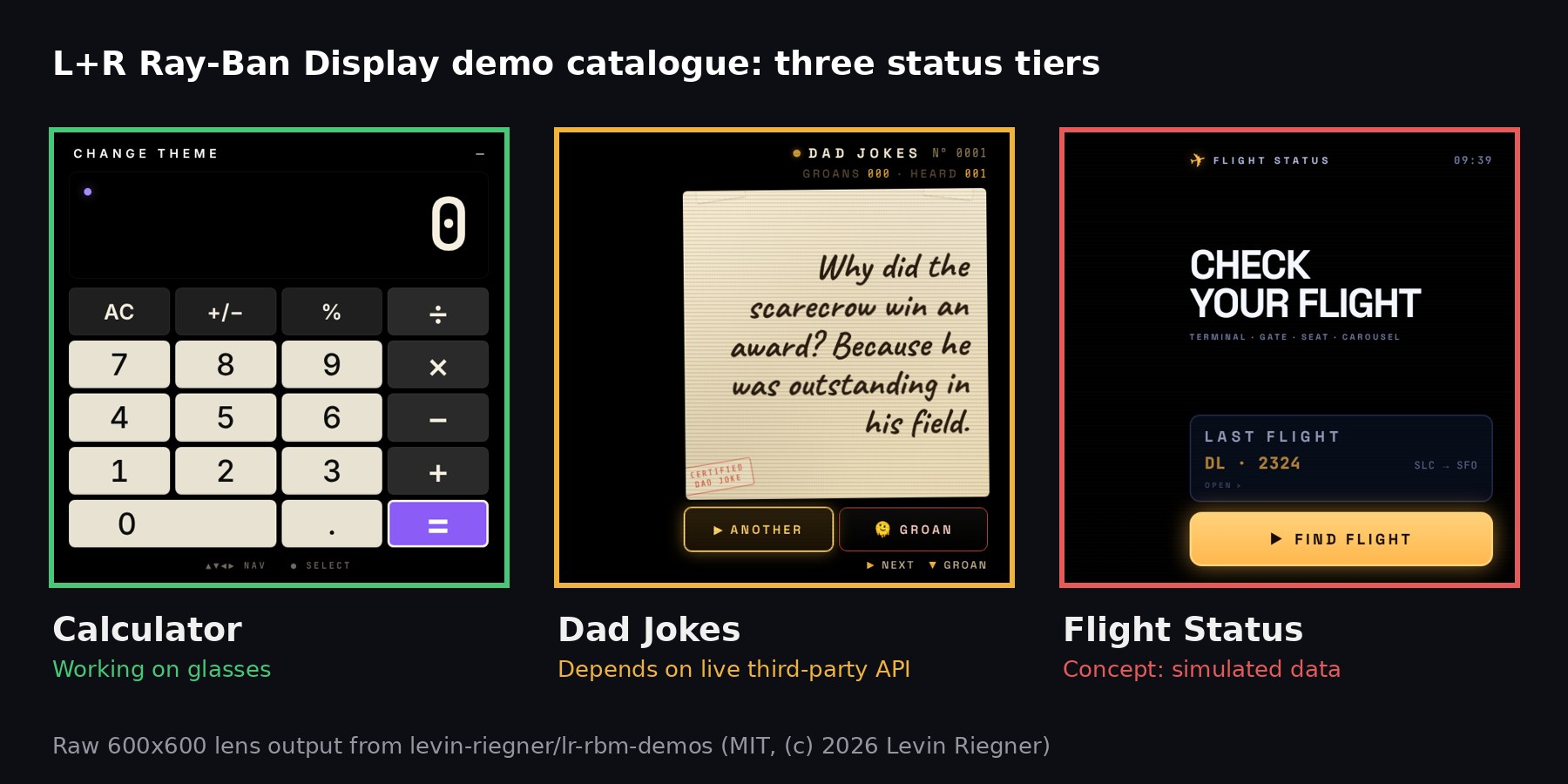
Design studio L+R has put an HONEST label on its catalogue of Meta Ray-Ban Display web apps. In a README rewrite pushed on October 10, the studio tagged 51 DEMOS with a status marker: 33 work on the glasses AS DESCRIBED, 10 work ONLY while a third-party API or server answers, and EIGHT are concepts with a real interface but SIMULATED data or services. MIXED reported the change on October 13, and the counts below come from our OWN pass over the public repository.

Where the Concepts Sit
The labels are NOT spread EVENLY. The 14 “Primary” demos, which L+R describes as POLISHED and COMPLETE, include 13 WORKING apps and ONE that depends on an OUTSIDE service (Dad Jokes). SEVEN of the eight concepts sit in the 22-app “Works in progress” section, and the EIGHTH is in “Proof of concept.” The concept list is where the more AMBITIOUS ideas live: a live-style conversation TRANSCRIPT with TRANSLATION, a FLIGHT board, an ambient calendar, a voice-memo archive, a DJ booth HUD, a card-magic coach, a chore list, and a ticket-stub keeper. Each concept README carries a “Making it real” section, which signals that the BACKEND work is STILL to be done.
The 10 service-dependent apps include a crypto tracker, a plane spotter, a weather dashboard, a Twitch chat HUD, and a two-part teleprompter. They RUN on the glasses TODAY, but ONLY for as long as somebody ELSE’S endpoint stays UP. None of the 51 entries is presented as a SHIPPING product.
What a Web App Actually Gets
The more USEFUL part of the rewrite for developers is a short statement of the INPUT model. According to L+R, EVERY demo uses the Meta Neural Band and the temple touchpad: a thumb swipe along the index finger for four directions, an index-to-thumb pinch to select, and a middle-finger pinch to go back. Text entry runs through the glasses’ neural HANDWRITING. The studio adds that “wrist rotation, pinch-and-hold scrolling and custom gestures are reserved for the system, and there is no vibration or haptic feedback.”
MIXED notes that Meta’s developer documentation, updated September 27, MATCHES the part it covers: pages receive standard keydown events for the four ARROW keys and Enter, and developers should let the WebView own focus movement. The claims about RESERVED gestures and MISSING haptics are L+R’s own, NOT Meta’s. That distinction MATTERS for anyone scoping an app, because it sets a HARD ceiling on interaction design that NO framework can work around.
Plain Web Code, by Design
Every demo is vanilla HTML, CSS and JavaScript with NO framework and NO build step, self-hosted fonts, and OFFLINE support through a service worker. Previews are the raw 600×600 lens output. The repository is MIT-licensed and also points to L+R’s browser-based simulator at displayglasses.dev, alongside Meta’s official Display Simulator Chrome extension. L+R ITSELF says NEITHER simulator replaces a pass on REAL glasses.
L+R was an ALPHA partner when Meta opened Web Apps Dev Mode and the Device Access Toolkit Display preview on May 14, according to the studio’s launch post, which framed its first SIX apps as open-source “baseplates,” NOT finished products. The catalogue has since grown roughly EIGHTFOLD. The repository showed just THREE GitHub stars at the time of writing.
Why It Matters
Demo catalogues for NEW hardware often BLUR the line between what RUNS and what is MOCKED. L+R’s markers make that line VISIBLE, and the split is INSTRUCTIVE: the SELF-CONTAINED utilities (calculators, timers, games) WORK, while the apps that need LIVE data or a backend are the ones STILL marked as concepts or as service-dependent. For TEAMS weighing Ray-Ban Display web apps, that is the REAL takeaway. The display and input stack is READY for SIMPLE tools; anything resembling a CONNECTED product still needs its OWN infrastructure, and it has to fit inside D-pad navigation WITHOUT haptics.
Sources: levin-riegner/lr-rbm-demos on GitHub (README, pushed October 10, 2026); MIXED, October 13, 2026; L+R, May 14, 2026.