One Meta AI glasses toggle now decides whether images and videos from AI experiences are STORED, used for TRAINING, and available for HUMAN REVIEW. The control is named Store visual data from AI experiences, and Meta’s own help language — reported by Mixed News on September 27, 2026 and earlier by Engadget on September 25 — puts the wearer’s PRIVACY choice in a single SWITCH.
Ask Meta AI about something in front of you — or use LIVE AI — and the FRAME your glasses send can enter Meta’s PIPELINE. Meta says it STORES that visual data and may use it “to power glasses features and improve Meta products,” including “training and improving AI models, which may be automated or MANUAL (HUMAN).” Before product-improvement use, Meta says its systems take steps such as removing personal or identifiable information when detected.
Where the Toggle Lives
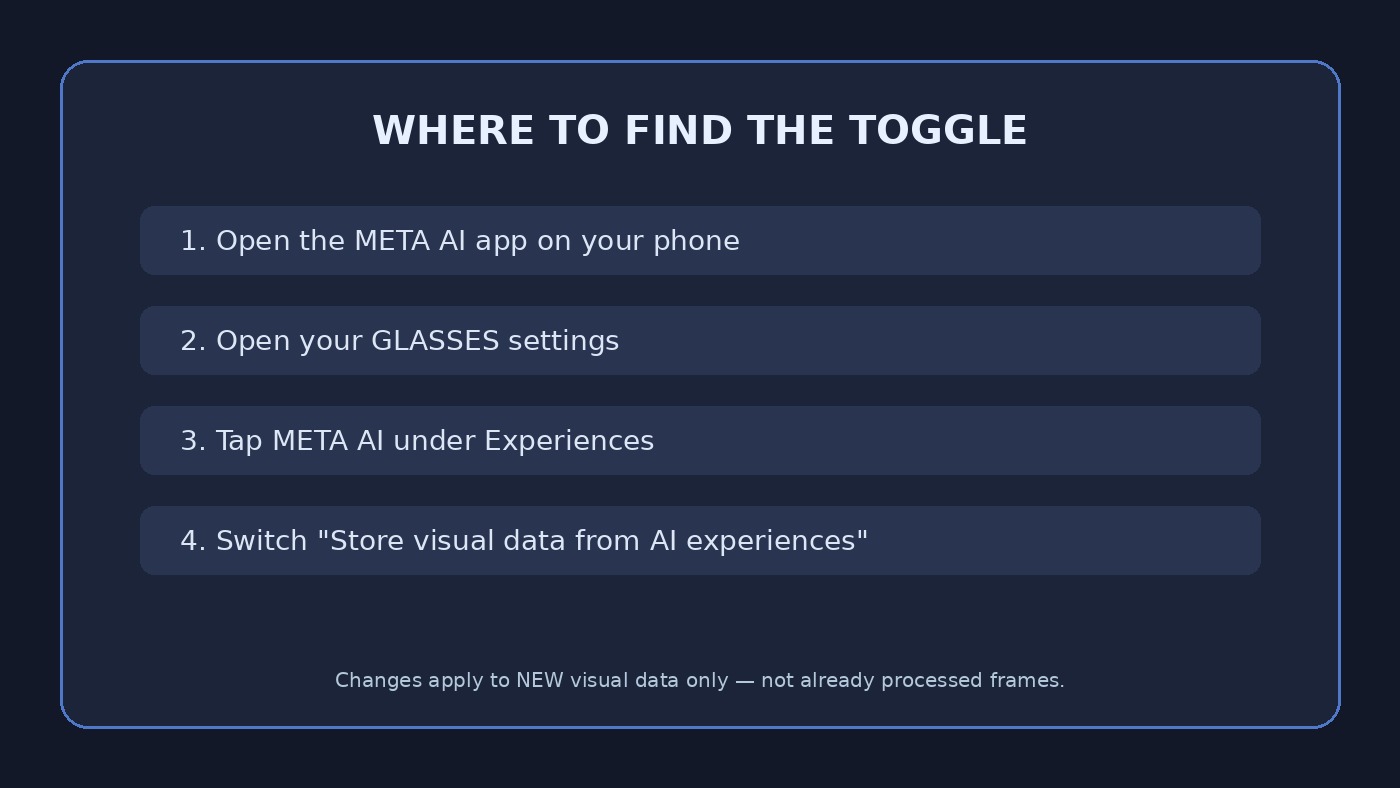
Open the Meta AI app on your phone, open your GLASSES SETTINGS, tap Meta AI under Experiences, then flip Store visual data from AI experiences. Meta also lets you set the preference during initial glasses setup or when an in-app NOTICE prompts you. Engadget notes the glasses must be out of their case and connected to the phone, and that each PAIR needs its own change if you own more than one.
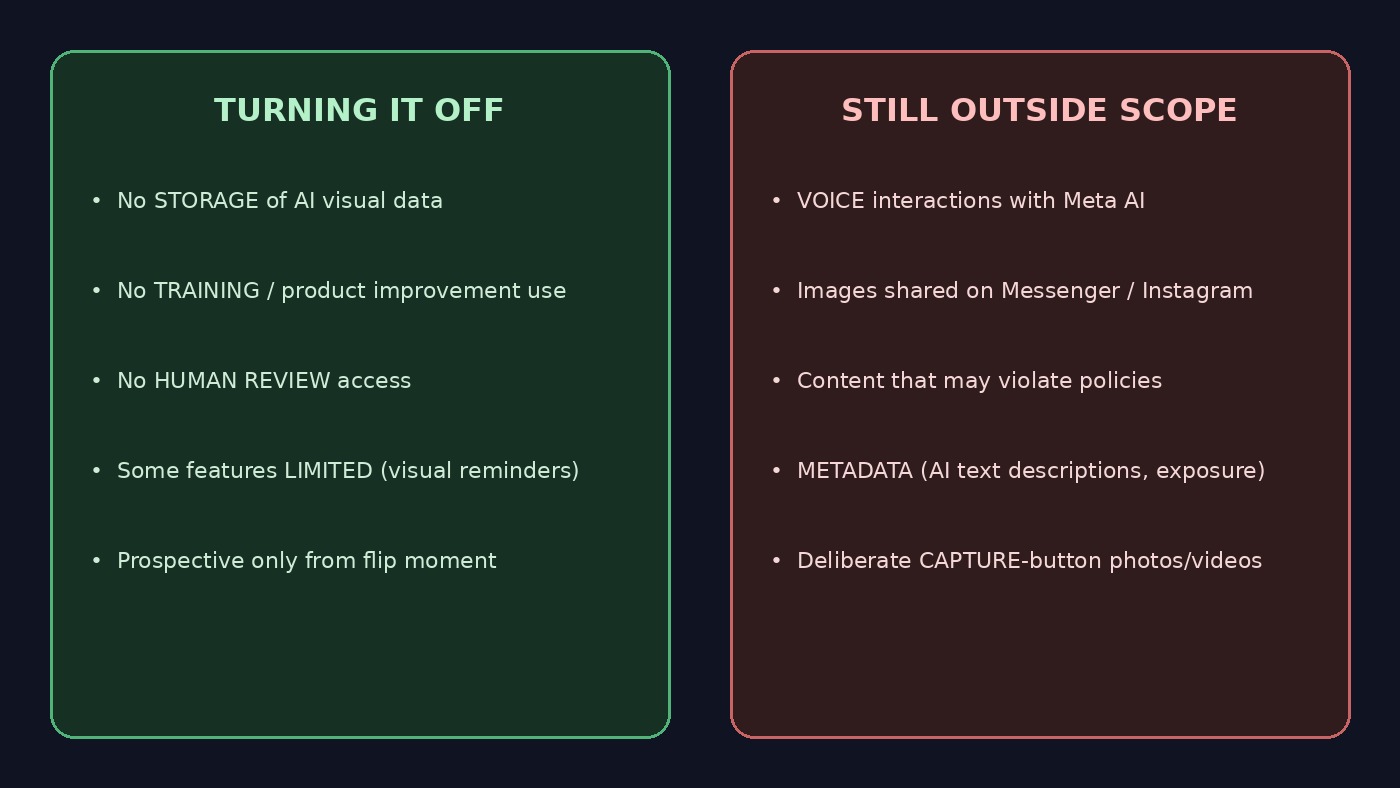
Flip the setting OFF and Meta’s description is blunt: your visual data “will not be available for HUMAN REVIEW,” “will not be used for TRAINING or other product improvement,” and “will not be STORED.” Some AI features — Meta names visual reminders — “may be limited or unavailable.” Wearers who mainly use translation, music, or calls give up little by Meta’s own framing.
The photos you deliberately shoot sit outside this PIPELINE. Pressing the capture button or saying “Hey Meta, take a picture” does not feed AI-experience storage. Meta says those photos and videos “are stored PRIVATELY on your glasses” until you choose to IMPORT them to the phone gallery.
Prospective Only — and a Long Outside List
TIMING matters. When you turn storage OFF, visual data created from that point forward will not be stored or used for product improvement. Meta is explicit that “this change doesn’t apply to visual data that was already processed.”
Several categories sit outside the setting either way, according to Meta’s help language as summarized by Mixed News: VOICE interactions with Meta AI; images and videos SHARED with Meta AI on other surfaces such as Messenger or Instagram; content that may VIOLATE Meta’s terms and policies; and METADATA attached to visual data — including AI-generated textual descriptions of an image and camera EXPOSURE settings. In short, switching storage OFF stops the PICTURE from being kept, but not necessarily the machine-written DESCRIPTION of what was in it.
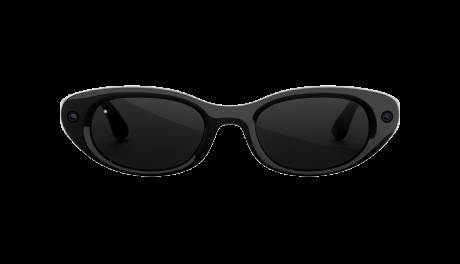
Official reference: Meta’s AI Glasses help article on visual data, meta.com/help/ai-glasses/…. Coverage: Mixed News (Sep 27, 2026); Engadget (Sep 25, 2026). For buyers unpacking a new PAIR — including the upcoming Ray-Ban Meta Gen 3 line Mixed News flags at $449 — this is the SETTING to locate in the app BEFORE the first LIVE AI question leaves the FRAME.