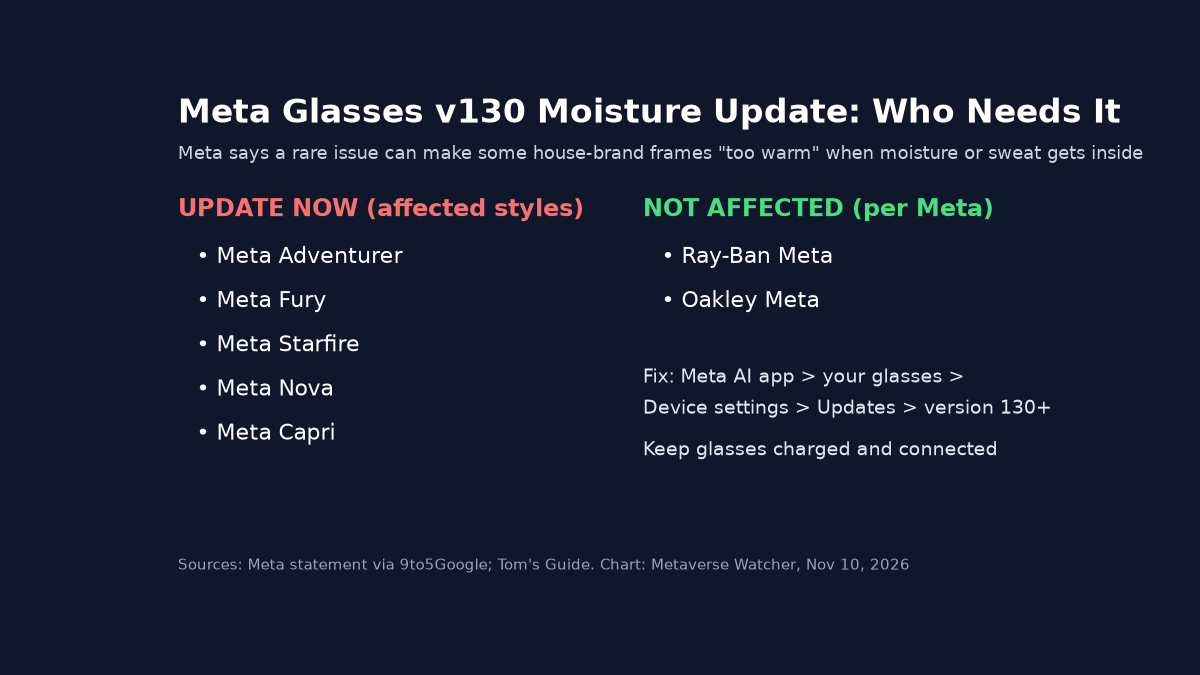
Meta is telling owners of its house-brand Meta Glasses to install a software update right away. In an email marked “Action required,” the company says version 130 addresses a rare issue in which some frames can get “too warm” when excessive moisture or sweat gets inside. The fix covers five styles: Adventurer, Fury, Starfire, Nova and Capri. Meta says Ray-Ban Meta and Oakley Meta glasses are NOT affected. 9to5Google first published the email and Meta’s statement, and Tom’s Guide carried the same update steps.
What Meta Says Happened
A Meta spokesperson gave this statement to 9to5Google:
“We’ve implemented a software update to fix a rare issue that caused a small number of Meta Glasses to get too warm when moisture entered the device. It works similarly to a phone shutting off automatically when it needs to cool down. If people experience this, they can contact Meta Customer Service for a replacement.”
According to 9to5Google, version 130 adds a safeguard that powers the glasses off if they reach a temperature threshold, and Meta described that threshold as “quite low.” Meta has not said how many units were affected, whether anyone was hurt, or what exactly fails when moisture gets in. The wording is careful. Meta says “warm,” not “hot,” and the fix is a software shutdown rather than a hardware recall.
Which Glasses Are Affected
| Line / style | Covered by the moisture fix? | What to do |
|---|---|---|
| Meta Adventurer (including LISA Edition) | Yes | Update to version 130 or later |
| Meta Fury | Yes | Update to version 130 or later |
| Meta Starfire (including Kylie Jenner editions) | Yes | Update to version 130 or later |
| Meta Nova | Yes | Update to version 130 or later |
| Meta Capri (including LISA Edition) | Yes | Update to version 130 or later |
| Ray-Ban Meta (all generations) | No, per Meta | Keep auto-updates on as usual |
| Oakley Meta | No, per Meta | Keep auto-updates on as usual |
The celebrity editions are built on the same frame shapes. As we reported from Meta Connect, the LISA collection uses the Adventurer and Capri frames, and the Kylie Jenner line uses Starfire. Meta’s list names styles, not editions. Our reading is that those editions fall under the same guidance, but owners should check the update status of their specific pair in the app rather than assume.

How to Install Meta Glasses Version 130
Charge the glasses first and keep them connected to your phone during the install. The steps below are taken from the 9to5Google and Tom’s Guide instructions:
- Open the Meta AI app on your phone.
- Tap the Glasses (or Devices) icon.
- Select your paired Meta Glasses and open Device settings. If you have more than one pair, swipe to the right one.
- Tap Updates, then Check, and install when version 130 or later appears.
- Turn on automatic updates so future fixes install on their own.
If your glasses have already shut down, felt unusually warm, or acted up after getting wet, Meta’s statement says to contact Meta Customer Service for a REPLACEMENT. Until the update is installed, the sensible step is to keep the frames away from heavy sweat and water. That matters for anyone who wears them for running, cycling or outdoor work.
Why It Matters
Meta Glasses are Meta’s lower-priced line next to the Ray-Ban and Oakley models. They are also the frames Meta is pushing with celebrity editions, new shapes and new countries this fall. A heat problem in a device that sits against your temples is one buyers take seriously, and the category has been through it before. In September, the U.S. CPSC announced a recall of INMO Air3 glasses over an overheating and burn hazard at the temple. Meta’s case looks much smaller in scope by its own account: a rare issue, fixed with software, with replacements offered. Still, it is a reminder that open-ear speakers, cameras and batteries in a thin frame leave little room for heat to escape.
Meta’s own AI glasses release notes are where the company posts feature updates for Ray-Ban Meta, Oakley Meta and Meta Glasses. They are worth bookmarking if you own more than one pair. For buyers comparing frames before the holidays, see our Best Smart Glasses of 2026 guide. If you plan to wear glasses on the job, our look at employer smart glasses policies covers the other practical question.
The Bottom Line
If you own Meta Glasses in the Adventurer, Fury, Starfire, Nova or Capri style, open the Meta AI app today and confirm you are on version 130 or later. Ray-Ban Meta and Oakley Meta owners do not need to do anything for this issue. Meta has not released numbers on affected units, and we will update this story if it does.