The short answer: Meta lets children as young as 10 use a Quest 2, Quest 3 or Quest 3S, but only on a parent-managed account that a parent or guardian creates and controls. From 13, a teen runs their own account, and parents can add optional supervision. Children under 10 cannot use Quest at all under Meta’s rules. Below is the full breakdown: what each account type allows, what parents can and cannot see, how other headset makers compare, and how to decide whether your child is actually ready.
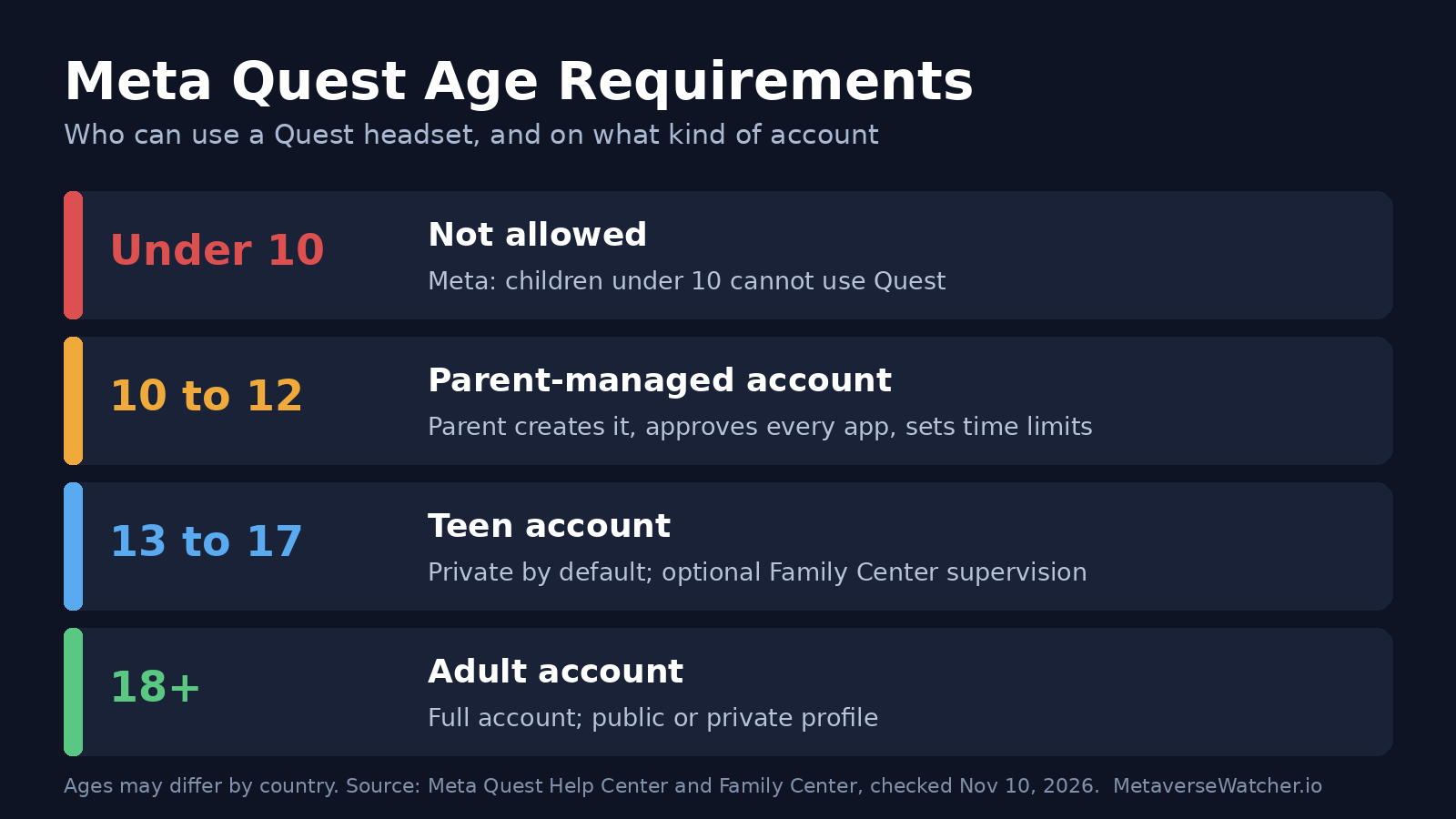
Meta Quest Age Requirements at a Glance
| Age | Account type | Who sets it up | Key limits |
|---|---|---|---|
| Under 10 | None | Not allowed | Meta says parents cannot create an account for a child under 10 and children under 10 cannot use Quest. |
| 10 to 12 | Parent-managed Meta account | Parent or guardian | Parent approves apps, manages privacy and password, sees screen time and sets limits. Profile private by default. |
| 13 to 17 | Teen Meta account | The teen | Private by default; apps rated above their age are blocked from download unless a supervising parent allows them. Supervision is optional. |
| 18+ | Adult Meta account | The user | Choice of public or private profile; active status shown to followers by default. |
Meta repeatedly notes that “ages may differ by country.” In some regions the threshold for managing your own account is 14 rather than 13, according to Meta’s Horizon privacy guide for children. Check the age shown during account setup in your country.
Which Quest Headsets Support Kids’ Accounts?
According to Meta’s Quest parent guide, parent-managed accounts work on Meta Quest 2, Meta Quest 3 and Meta Quest 3S, plus the Meta Horizon mobile app and the web. Meta’s parent information page adds that parent-managed accounts are not available on its other headsets, which means children under 13 cannot use them. In practice that rules out Quest Pro for a 10- to 12-year-old.
If you are buying a headset for a child this holiday season, the choice is effectively between Quest 3 and Quest 3S. Our Quest 3 vs Quest 3S comparison covers the differences in lenses, storage and price, and our early Black Friday VR deals post tracks verified discounts.
Ages 10 to 12: How Parent-Managed Accounts Work
A preteen cannot sign up alone. When a child between 10 and 12 goes through Meta account registration, they are prompted to ask a parent. The parent must first log in to (or create) their own Meta account and Horizon profile, then create the child’s account from there. Meta’s help article on creating and managing a child’s account lists what the parent controls:
- Apps: the parent must approve each app from the Meta Horizon Store before the child can use it, and can block an app at any time.
- Account and privacy: the parent manages the child’s settings, including the password, and can see, change, download or delete the child’s account information.
- Screen time: the parent sees total time spent across Quest, the mobile app and the browser, and can set daily limits and scheduled breaks.
- Purchases: the parent makes purchases for the child.
- Live view: the parent can watch the child’s Quest session in real time by casting.
- Contacts: profiles are private by default, so anyone who wants to follow the child must be approved by the child or the parent. Parents can add “approved contacts” the child can call and chat with.
There are also built-in content filters. If the parent allows the Browser app, Meta says categories including gambling, weapons and sexual content are blocked automatically. Access to Horizon Worlds also requires approval, and by default it is limited to a small set of “starter worlds” rated 10+. Parents can widen that to all 10+ worlds or all 13+ worlds, or require the child to request each new world.
What Happens When Your Child Turns 13
On their 13th birthday (or the applicable age in your region), the child starts managing their own Meta account. Meta’s parent guide says they are enrolled in teen supervision, which stays on by default, and the family can decide together whether to keep it. The parent’s restrictions on 10+ and 13+ worlds stop applying, while worlds rated 18+ remain hidden.
Ages 13 to 17: Teen Accounts and Supervision
Teen accounts come with more privacy-focused defaults than adult accounts. Per Meta’s account-age explainer, the profile is private, so the teen approves every follower, and activity, active status and the app in use are hidden unless the teen chooses to share them.
Supervision through Meta’s Family Center is optional for teens. Both parent and teen must agree, the parent must be 18 or older, and either side can remove it. If a teen removes it, they have 24 hours to restore it before it ends. According to Meta’s supervision help page, a supervising parent can:
- See time spent in apps and Worlds, and set daily limits and scheduled breaks.
- See which apps the teen uses, buys, downloads or receives as gifts, and block or allow specific apps.
- Keep the default block on downloading apps rated above the teen’s age, approving exceptions one by one.
- See who the teen follows and who follows them.
- Block or allow social features such as Horizon chats, calling and voice chat in Worlds. Blocking these does not affect social features inside third-party apps.
- Watch the headset view live by casting to a phone.
- Block or allow Quest Link and Air Link, which connect the headset to a PC and open up apps outside the Horizon Store.
- Block or allow developer mode, which allows sideloading.
What a parent cannot do is just as important. Meta says supervising parents cannot read the teen’s private messages, change the teen’s avatar or username, or delete the profile and reset the password. Teens 13+ can also buy Meta Credits and manage their own Horizon wallet; Family Center can notify parents of those purchases.
Some U.S. jurisdictions add rules on top. Meta’s page on extra teen supervision features lists additional parent powers for teens under 18 in Florida, Texas and Puerto Rico, such as downloading or deleting the teen’s profile, and in Texas, controlling purchases and time limits. In those regions, only the parent can remove these features until the teen turns 18.
For a step-by-step walkthrough of the settings screens, see our Meta Quest parental controls setup guide.
How Quest Compares With Other Headsets
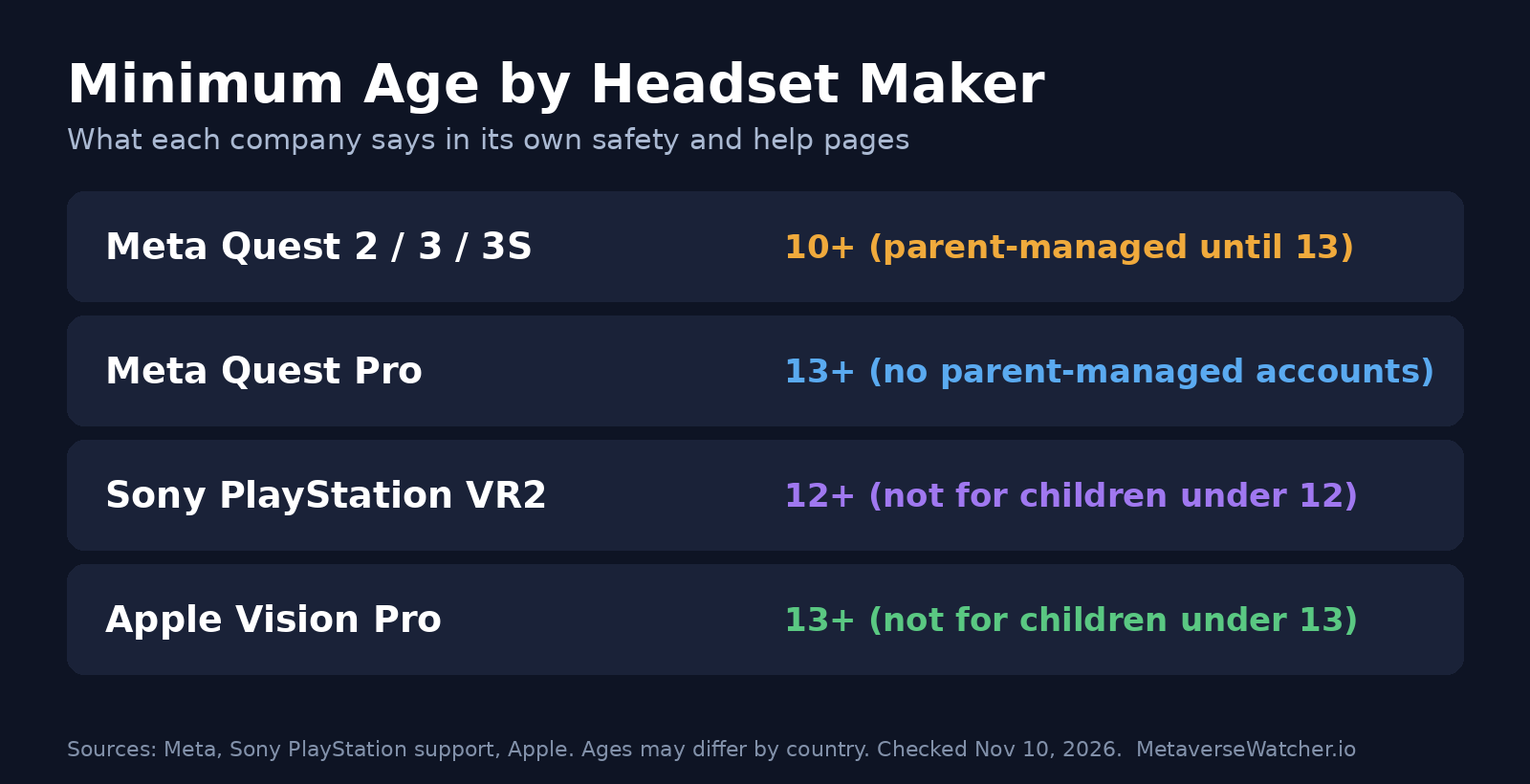
| Headset | Maker’s minimum age | Source |
|---|---|---|
| Meta Quest 2, 3, 3S | 10+ with a parent-managed account; 13+ for a teen’s own account | Meta |
| Meta Quest Pro | 13+ (no parent-managed accounts) | Meta |
| Sony PlayStation VR2 | 12+; “not for use by children under 12 years” | PlayStation Support |
| Apple Vision Pro | 13+; designed for people 13 and older | Apple safety guidance, as reported by The Shortcut |
Meta is the only major maker with a formal path for 10- to 12-year-olds. Sony also lets PS5 parental controls restrict PS VR2 use by child account, and its “Child” preset blocks VR entirely.
Is Your Child Ready? Meta’s Own Checklist
Meeting the age minimum is not the same as being ready. Meta tells parents that some children, particularly younger or smaller ones, may not be. Its parent information page says a child is ready if they can:
- Read, understand and follow warnings and instructions.
- Get a proper fit and clear vision in the headset.
- Set up and stay inside a virtual boundary in a clear, suitable space.
- Choose appropriate content with a parent’s guidance.
- Stop the experience if they feel uncomfortable, and speak up about blurry vision, soreness or other symptoms.
- Understand that virtual content is not real.
- Take breaks within reasonable time limits.
Fit is the item parents most often overlook. Quest headsets are sized for adults, so a child’s eyes may sit outside the comfortable lens-spacing range. Try the headset on your child before handing it over, and stop if they report blur or eye strain.
Practical Setup Tips for Families
- Set up your own account first. You need your own Meta account and Horizon profile before you can create a child’s account. Our Meta Quest 3 setup guide walks through the first boot.
- Add the child as a separate user. If the headset is shared, give each family member their own account so purchases, saves and restrictions stay separate. See how to add users and share apps on Quest.
- Use stationary mode for younger kids. A small, clear play space reduces the risk of collisions. Our boundary setup guide explains the options.
- Start with short sessions. Use Family Center time limits and scheduled breaks, and watch for discomfort. Our VR motion sickness guide covers early warning signs.
- Pick age-appropriate games. Check each app’s age rating in the Horizon Store before approving it. Our best free Quest games list is a low-cost place to start.
- Decide on PC Link and developer mode. For teens, these are the two switches that open the door to content outside the Store. Leave them blocked unless you have a reason to allow them.
Frequently Asked Questions
Can an 8-year-old use a Meta Quest 3?
Not under Meta’s rules. Meta says children under 10 cannot use Quest 2 or Quest 3, and parents cannot create an account for them.
Can a 10-year-old use Horizon Worlds?
Only with parent approval. Access is limited to starter worlds rated 10+ by default, and the parent can widen it.
Can my 15-year-old turn off supervision?
Yes. Supervision for teens is optional and either side can remove it. The parent is notified, and the teen has 24 hours to restore it. Regional rules in Florida, Texas and Puerto Rico change this for the extra features available there.
Can parents read a teen’s Quest messages?
No. Meta says supervision does not include private message content.
Is the age limit the same in every country?
No. Meta says ages may differ by region; in some places the age for managing your own account is 14.
The Bottom Line
Meta Quest is the most permissive mainstream headset for younger users, starting at 10, but that access comes with the strictest account controls Meta offers. For 10- to 12-year-olds the parent is in charge of every app and every minute. For teens, oversight is a negotiation, and it is only as strong as the settings both sides agree to. Whatever the age, the deciding factors are fit, comfort and maturity, not the number on the box.
All policy details in this guide come from Meta, Sony and Apple pages checked on Nov 10, 2026. Meta updates its account rules periodically; we will update this guide when they change.