Updated November 12, 2026. Steps and requirements checked against Disney and Meta pages published or revised on November 10, 2026.
Disney+ subscribers can now watch select movies in 3D on Meta Quest 3 and Quest 3S. The feature arrived on November 10, 2026, in an updated Disney+ app on the Meta Horizon Store, along with themed viewing environments. Meta says more than 60 movies are available in 3D in select countries, and Disney says both 3D playback and the environments are included in a Disney+ subscription at no extra charge.
This guide covers what you need, how to set it up, how 3D differs from the new Environments, and what to try if 3D does not appear. For a ranked look at the officially named titles, see our list of the best Disney+ 3D movies to watch on Quest 3. To compare this with rentals, Horizon+ and other headsets, see Disney+ 3D vs other Quest 3 movie options.
Quick answer
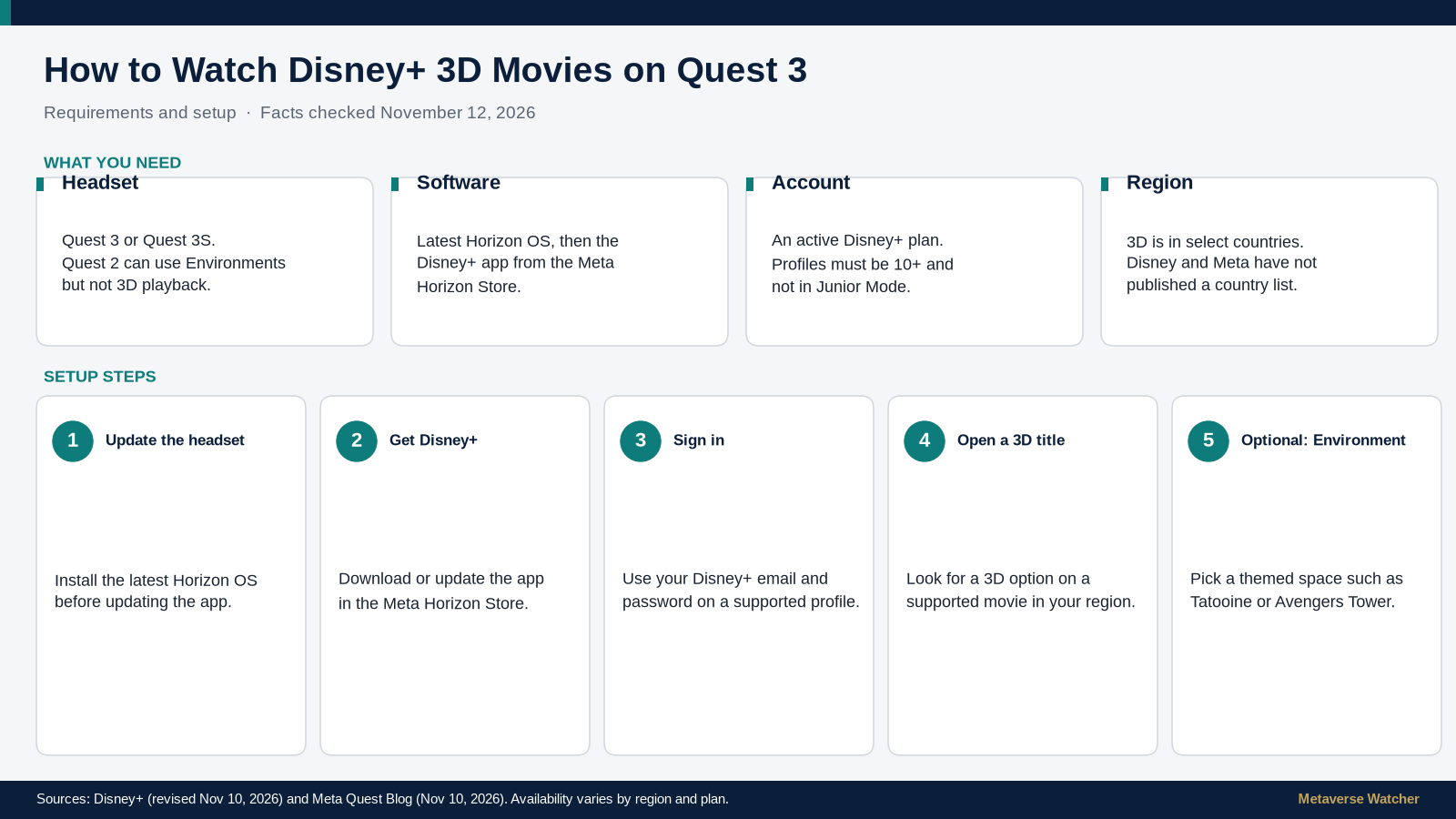
- Use a Quest 3 or Quest 3S. Quest 2 can use Disney+ Environments, but not 3D.
- Update the headset to the latest Horizon OS, then download or update Disney+ from the Meta Horizon Store. Disney says the newest app may require the latest system software.
- Sign in with an active Disney+ subscription on a profile that is 10 or older and not in Junior Mode.
- Open a supported movie and look for a 3D option. Availability varies by title, country and plan.
What you need
| Requirement | Details |
|---|---|
| Headset | Quest 3 or Quest 3S for 3D. Quest 2 supports 2D playback and Environments only. |
| Software | Latest Meta Horizon OS, then the current Disney+ app from the Meta Horizon Store. |
| Subscription | An active Disney+ plan, or a bundle that includes Disney+. 3D and Environments are included at no extra charge. |
| Profile | Disney+ on Quest is limited to profiles aged 10+ that are not in Junior Mode. See our Meta Quest age requirements guide. |
| Region | 3D playback is limited to select countries. Disney and Meta have not published a country list, and some titles shown in announcements may not be in 3D where you live. |
That device split comes from Disney’s official Quest page, revised on November 10. The same page says subscribers should keep the headset on the latest software before using the app.
3D movies and Environments are different features
It is easy to treat the November 10 update as one feature. It is two.
- 3D movies add stereoscopic depth to a select catalog. This works only on Quest 3 and Quest 3S, and only in select countries.
- Disney+ Environments change the virtual room around the screen. Official examples include Tatooine, Avengers Tower and the Scare Floor from Monsters, Inc. Disney says Avengers Tower includes details such as Captain America’s shield. These spaces work on Quest 2, Quest 3 and Quest 3S, and you can use them while watching 2D or 3D content.
Meta’s launch post describes watching Star Wars: A New Hope from Tatooine, the Avengers from Avengers Tower, and a Pixar title from the Scare Floor. That is a description of the rooms, not a claim that every film tied to those worlds is in 3D. A New Hope is named as an environment example; Disney and Meta have not listed it among the confirmed 3D titles.
How to watch a Disney+ movie in 3D
Disney and Meta have not published a button-by-button walkthrough of the updated Quest app. The official path is to install the app, sign in, and open a supported title. The steps below follow those pages and do not invent menu labels.
- Put on a Quest 3 or Quest 3S and confirm the headset is on the latest Horizon OS. If you need the menus, use our Quest 3 software update guide.
- Open the Meta Horizon Store and search for Disney+. Download the app, or update it if it is already installed.
- Open Disney+ and sign in with the email and password for your subscription. If you do not have an account yet, Disney’s help page says to subscribe in a web browser first, then sign in on the headset.
- Browse to a movie that is offered in 3D in your country. Disney’s official sample list includes Avatar, Avatar: The Way of Water, Avatar: Fire and Ash, Avengers: Endgame, The Fantastic Four: First Steps, Rogue One: A Star Wars Story, Star Wars: The Force Awakens, Tron: Legacy, Tron: Ares, Inside Out 2 and Elemental. Meta also names The Avengers and Black Panther. Open the title and look for a 3D option on the movie page or during playback.
- If you want a themed room, look in the app for an Environments control and choose a space such as Tatooine, Avengers Tower or the Scare Floor. Some coverage describes a 3D Collection and an Environments menu, similar to the visionOS app, but Disney and Meta have not confirmed those exact Quest labels.
This is the consumer launch of a plan Meta outlined earlier this fall, which we covered when Disney+ on Quest was first slated to get 3D movies in November and when Meta confirmed 3D movie streaming for Quest this fall.
Picture and sound: Dolby Vision and Dolby Atmos
The picture and sound rules depend on where you are and which plan you have. Disney’s Quest page is specific for the United States: Meta Quest is Dolby-enabled there, so all Disney+ U.S. subscribers can use select titles in Dolby Vision HDR on Quest 3 and 3S, while Dolby Atmos requires a Disney+ Premium plan. The Walt Disney Company newsroom post is broader: it says Premium subscribers can enjoy select content in Dolby Vision and Dolby Atmos, and that availability of 3D, Dolby Vision and Dolby Atmos varies by region and subscription plan.
Neither Disney nor Meta has published a resolution figure for the 3D streams on Quest. We are not inferring one. If a title offers Dolby Vision or Atmos, that will be listed on the title or in the app for your plan and country.
Bundle subscribers can also reach Hulu content through the Disney+ app on Quest, according to Disney’s newsroom post. That announcement does not say Hulu titles are available in 3D.
Troubleshooting: 3D is missing, or playback is poor
If you cannot find 3D, work through these checks before assuming the feature is down.
- Confirm the headset. 3D is limited to Quest 3 and Quest 3S. On Quest 2 you should still see Environments, but not stereoscopic movies.
- Update the system, then the app. Disney says the newest Disney+ app may require the latest Horizon OS. Update the headset first, then the app.
- Check the profile. Switch out of Junior Mode and use a profile aged 10 or older.
- Check the title and country. Only a subset of the catalog is in 3D, and Meta’s launch post says availability varies by region. A movie shown in a trailer or press image may not be in 3D where you are.
- Treat the older help article with care. Disney’s Meta Quest help page still includes a line that all Quest content is 2D only. That wording predates, or has not yet been updated for, the November 10 launch. Prefer the revised Disney+ Quest article and Meta’s November 10 blog post if the two sources disagree.
- If a stream buffers. Disney’s general Quest help suggests lowering data-usage settings, downloading a title where downloads are allowed, or trying standard connection fixes. Whether 3D titles can be downloaded for offline playback has not been confirmed in the launch materials we reviewed.
Horizon OS 2.10 also adds a system-level Theater mode for supported video apps. That is a Quest feature, not a Disney+ Environment. We have not confirmed whether the updated Disney+ app exposes Meta’s Theater button.
What is coming next
Disney and Meta say 3D movies and Environments will come to Meta VR Glasses in select countries when that headset launches in spring 2027. On those glasses, Disney+ is also slated to offer IMAX Enhanced titles on the first IMAX Enhanced-certified VR device. The Verge, citing the launch, named Avengers: Endgame, Lightyear and Tron: Ares among the IMAX Enhanced examples. For the certification itself, see our report on the IMAX Enhanced app planned for Meta VR Glasses in 2027.
Bottom line
If you already pay for Disney+ and own a Quest 3 or 3S in a supported country, 3D movie night is now part of the subscription. Update the headset, update the app, sign in on a supported profile, and open a title that offers 3D. Environments work on a wider set of headsets, including Quest 2, and they are optional. The catalog is large, but it is not the entire Disney+ library, and Disney has not published a complete official title list or a list of supported countries.
Sources: Disney+ on Meta Quest (revised Nov 10, 2026); Meta Quest Blog (Nov 10, 2026); The Walt Disney Company (Nov 10, 2026); Disney+ Help: Disney+ on Meta Quest; UploadVR (Nov 10, 2026). Checked November 12, 2026.