Ray-Ban Meta Privacy Settings: 6 Controls to Change
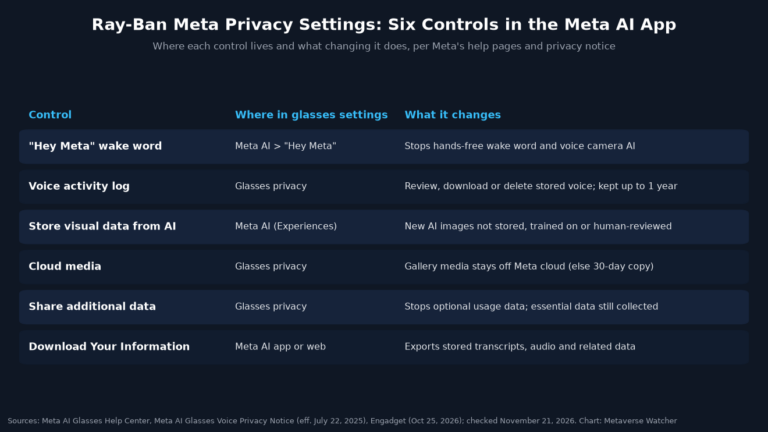
Ray-Ban Meta privacy settings explained: turn off Hey Meta, delete voice recordings, stop visual data storage and keep photos off Meta servers.
Ray-Ban Meta privacy settings explained: turn off Hey Meta, delete voice recordings, stop visual data storage and keep photos off Meta servers.
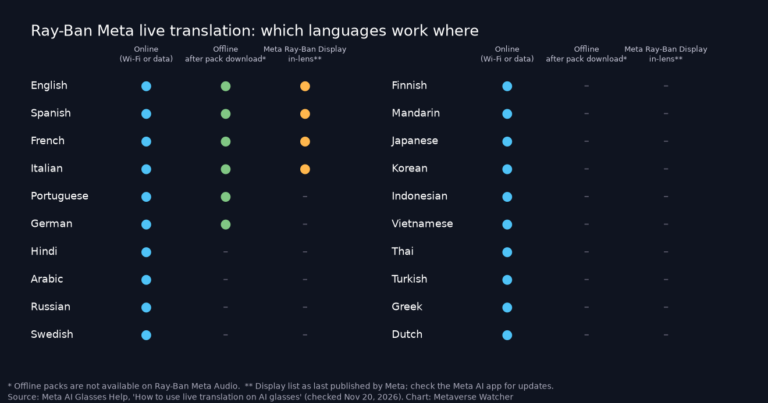
Ray-Ban Meta live translation supports 20 languages, six offline. How to start and stop it, download language packs, use it on Display and fix problems.

Ray-Ban Meta voice commands: the full list of Hey Meta commands for photos, calls, music, Live AI and translation, sourced from Meta’s help pages.

How to transfer Ray-Ban Meta photos and videos to your phone: auto-import setup, manual import steps, video settings and fixes when imports fail.
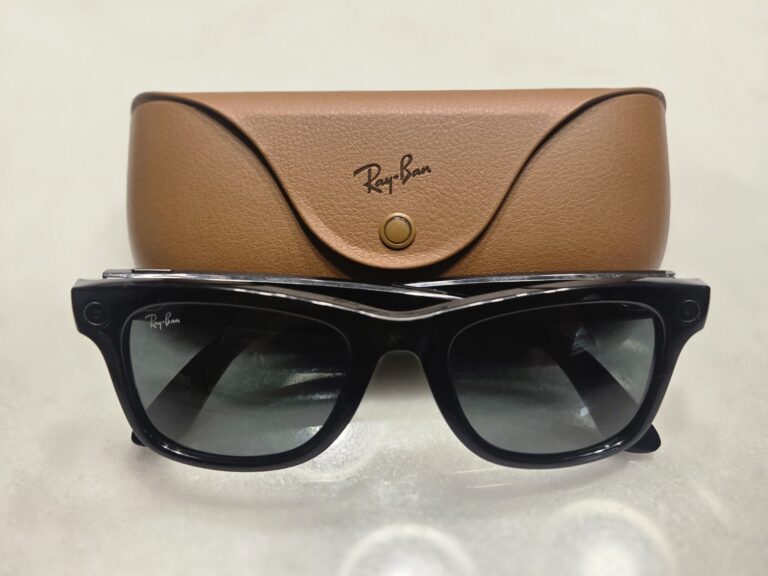
Ray-Ban Meta setup guide: pair the glasses with the Meta AI app, learn the touchpad controls, change key settings and fix pairing or update failures.
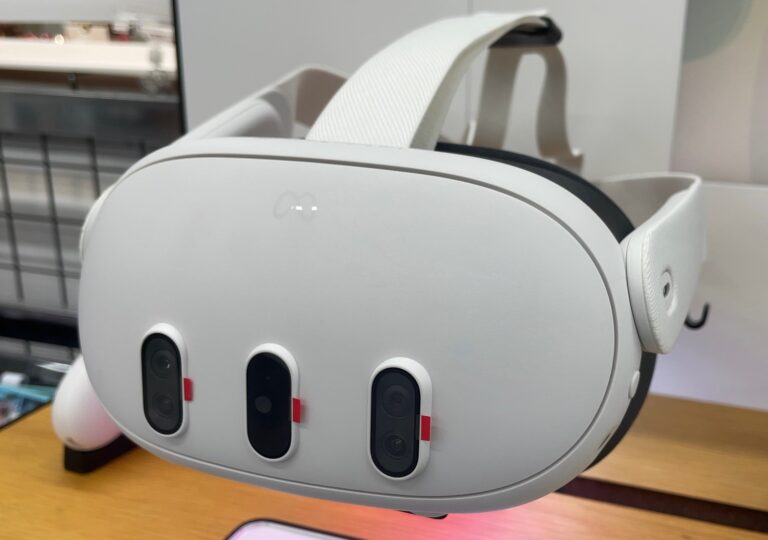
Horizon OS v2.9 brings Meta AI on Quest to the UK, Australia, Japan, Mexico, South Korea and Singapore, adds seven languages and a three-window manager.
Meta says an issue that saved Ray-Ban Meta owners’ conversations to Meta AI history without Hey Meta is resolved, but it has not explained the cause.

Cybernews says the Meta AI app for Ray-Ban Meta asks for 70 Android permissions, 18 dangerous, more than six rival glasses apps, based on a September scan.