Valve has released SteamOS 0.5.9 to the Steam Frame Beta channel, and the headline change gives PC VR games a simple way to show your real room through streamed content: chroma key. According to Valve’s Steam Frame announcement dated November 13, PC streaming now supports a key color that lets Room View, the Frame’s camera passthrough, appear inside VR content. A matching SteamVR 2.19.3 beta landed for PC the same day, as GamingOnLinux reported.
What chroma-key Room View does
The new controls live on the PC, not the headset. In SteamVR’s Camera settings there is now a mode switch between Protect Content and Key Content. Protect Content keeps the streamed image intact. Key Content, in Valve’s words, “will allow any game to simply draw the key color to control Room View transparency.” Wherever that color appears in a frame, the headset shows its camera feed instead.
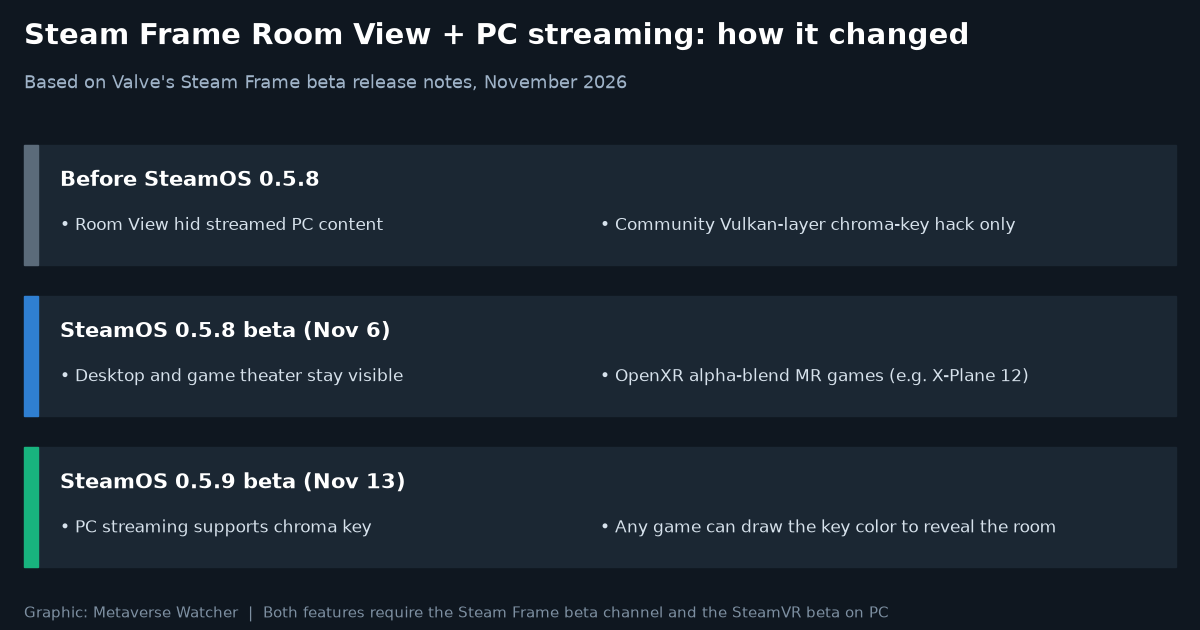
That is a different approach from the one Valve shipped a week earlier. As we covered in our SteamOS 0.5.8 report, the November 6 beta stopped Room View from hiding streamed desktops and the game theater, and let OpenXR games that support mixed reality use the standard alpha blend mode to mix rendered scenes with passthrough. Valve named X-Plane 12 as an example. Alpha blending needs a game to implement OpenXR mixed reality properly. Chroma key only needs the game, a mod or an overlay to paint a region in the chosen color.
| Build | Room View during PC streaming | What a game needs |
|---|---|---|
| Before SteamOS 0.5.8 | Enabling Room View hid remote content | No official route; community workarounds only |
| SteamOS 0.5.8 beta (Nov 6) | Remote desktop and game theater stay visible; MR games can blend with the room | OpenXR mixed reality support (alpha blend mode) |
| SteamOS 0.5.9 beta (Nov 13) | Chroma key reveals the room wherever the key color is drawn | Draw the key color; “Key Content” mode set on PC |
Why it matters for Steam Frame owners
Steam Frame is first and foremost a PC streaming headset, so the gap between streaming and passthrough was a practical problem. Sim racers and flight-sim players want to see a wheel, yoke or keyboard; productivity users want a desktop floating in a real room. In October, developers on an OpenVR GitHub issue documented that streamed apps had no way to reach the cameras, and one commenter shared a Vulkan layer that chroma-keyed green regions into local passthrough using an undocumented compositor setting, warning that any SteamVR update could break it. SteamOS 0.5.9 effectively turns that community idea into a supported feature.
The catch is that someone still has to draw the key color. Valve’s notes do not list games that use it yet, and the release notes do not say which color is used by default, so expect overlay tools and mods to adopt it before full games do. For the cockpit crowd, it pairs naturally with the titles in our Best VR Flight Simulators 2026 list.
Everything else in SteamOS 0.5.9
- Foveated sharpening is now applied when streaming VR through Steam Link.
- Prism correction accessibility settings for double vision (diplopia): enable Advanced Settings, then General > Accessibility > Prism Correction. The headset needs a restart.
- Fixed a visual glitch when opening or closing the dashboard in some games.
- Fixed WebXR in Chrome or Chromium installed per user from Discover rather than system-wide.
- Fixed a system lock-up caused by certain Discover apps, with VLC named as an example.
- Show Perf Overlay in VR and Draw Performance Assessment are now linked, so turning off the first also disables the developer overlay.
SteamVR 2.19.3: fixes for every headset
The PC-side beta matters beyond the Frame. According to Valve’s SteamVR announcement, 2.19.3 restores full resolution in the mirror window and third-party mirror or recording apps, and stops a manually set stream video size from becoming the default on the next launch. Linux users get a long list of fixes, including rendering issues introduced with the improved streaming in 2.19.1, a right-eye flicker, scene distortion on HTC Vive and Valve Index when the dashboard is up, brightness and visual corruption at high resolution, better performance on Nvidia with wired headsets and a possible startup lock-up. Valve Index also gets the same prism correction setting, and Gyro to Joystick Camera in Steam Input is fixed.
How to try it
Both pieces are betas, and chroma key needs both:
- On the Steam Frame, go to Settings > System > System Update Channel and choose Beta.
- On the PC, right-click SteamVR in your Steam library, open Properties > Game Versions & Betas, and choose beta.
- In SteamVR’s Camera settings on the PC, switch from Protect Content to Key Content.
Valve has not said when 0.5.9 will reach the stable channel. If you are still deciding whether the headset fits your setup, start with our Steam Frame specs and price guide and Steam Frame battery life guide. For the earlier streaming changes on the PC side, see our SteamVR 2.18 coverage.
Sources: Valve (Steam Frame and SteamVR announcements, November 13, 2026), GamingOnLinux, SFF Geek.